Payment Instructions
Several ways to pay, explained step by step. Questions? Email us at [email protected] — once your payment reaches us, we process and ship your order as soon as possible.
How to Pay for Your Order
At checkout you can choose Afterpay, Bank Account (eCheck), Zelle, Venmo or Crypto.
Afterpay, Bank Account (eCheck) and Crypto need only the details you enter at checkout. Zelle and Venmo are open to returning customers, and both ask you to send the payment yourself afterwards.
To pay by credit or debit card, please email us before you place your order — card payment is not available at checkout, and we’ll send you a secure payment link instead.
Placing Your Order
The process is the same no matter how you pay:
- Add your items to the cart and go to checkout
- Enter your shipping address and choose a shipping method
- Select your payment method
- Click Complete Order
Choose your method carefully before you click Complete Order. Afterpay, Bank Account (eCheck) and Crypto each begin a real payment the moment you complete the order — Afterpay sends you to their site to set up a plan, eCheck submits a debit to your bank, and Crypto opens a live deposit. If you meant to pay by card, email us first rather than selecting one of these.
Afterpay — Pay in 4 Installments
Best for: spreading the cost over six weeks, interest-free.
Select Afterpay at checkout and click Complete Order. You’ll be taken to Afterpay to sign in or create an account, where they approve your purchase and set up the payment schedule.
Your order is paid in four equal installments: the first today, then one every two weeks. Afterpay takes the payments automatically from the card you register with them.
Approval is decided by Afterpay for each order and does not affect your credit score. You must be 18 or over and a US resident, and Afterpay applies its own eligibility criteria — so approval isn’t guaranteed. The purchase is interest-free, but Afterpay may charge late fees if a scheduled payment is missed.
Your order is only created once Afterpay approves it. If you close the Afterpay page or cancel partway through, no order reaches us — please start again rather than waiting for a confirmation email.
Bank Account (eCheck)
Best for: paying directly from a US checking or savings account, with nothing else to sign up for.
Select Bank Account (eCheck) at checkout and enter your banking details:
- Name on account
- Bank name
- Routing number
- Account number
- Account type — Personal Checking, Personal Savings or Business Checking
You’ll also tick a box authorising a one-time electronic debit from that account for the order total.
Payments are processed through Authorize.net, an established and secure payment platform. Your details are sent over an encrypted connection, and we do not keep your full account or routing number — only the last four digits, so our team can match your payment.
eCheck payments are held as pending for around 5 business days while the transaction clears with your bank. We ship your order once the payment clears.
Zelle
Best for: returning customers whose bank supports Zelle.
Select Zelle Payment at checkout and complete your order. Your order confirmation email contains our Zelle details and a QR code — nothing is shown on screen, so please keep that email.
Then open your banking app, find Zelle (most major US banks have it built in), and send the exact order total to the details in that email.
- Send the exact order total — a different amount delays matching your payment
- In the note box, include your shipping name or your order number
Zelle transfers usually arrive within minutes. We ship as soon as the payment lands. The recipient name shown in your banking app is our registered business name and may differ from TaraSkinCare — that is expected.
Venmo
Best for: returning customers who already use Venmo.
Select Now Accepting Venmo — For Return Customers Only! at checkout. Your order confirmation email contains our Venmo handle and a QR code.
Open Venmo, scan the QR code or search for the account name in that email, and send the exact order total.
In the “What’s it for” box, put your full name — the name of the person who placed the order. Please do not include the order number for Venmo payments. This is how we match Venmo payments to orders.
Credit or Debit Card — by Secure Invoice
Best for: paying by card.
Card payment is not currently offered at checkout. To pay by card, email [email protected] with the items you’d like — ideally before placing an order — and we’ll send you a secure payment link.
Please don’t select another payment method and wait for an invoice: Afterpay, eCheck and Crypto all start a real payment as soon as you complete the order.
Your invoice normally arrives within 24 hours — please check your spam folder if you don’t see it. It will come from TARASKINCARE.
Your card details go directly to the payment provider over a secure connection. We never see or store your card number.
Crypto — USDT, Bitcoin, Ethereum or Solana
Best for: international customers, and anyone who already holds crypto.
We accept four cryptocurrencies. Payments are processed through NOWPayments, a crypto payment provider.
How it works
- Select Pay with Crypto at checkout
- Choose your coin — USDT (Tron / TRC-20), Bitcoin, Ethereum or Solana
- Click Complete Order. You’ll land on a payment page showing the exact amount to send, the deposit address with a copy button, a QR code, and a countdown showing how long the payment link stays valid
- Send the payment from your wallet or exchange account
- We’re notified automatically when your payment arrives on the blockchain — the page refreshes itself, so you don’t need to email us or send a receipt
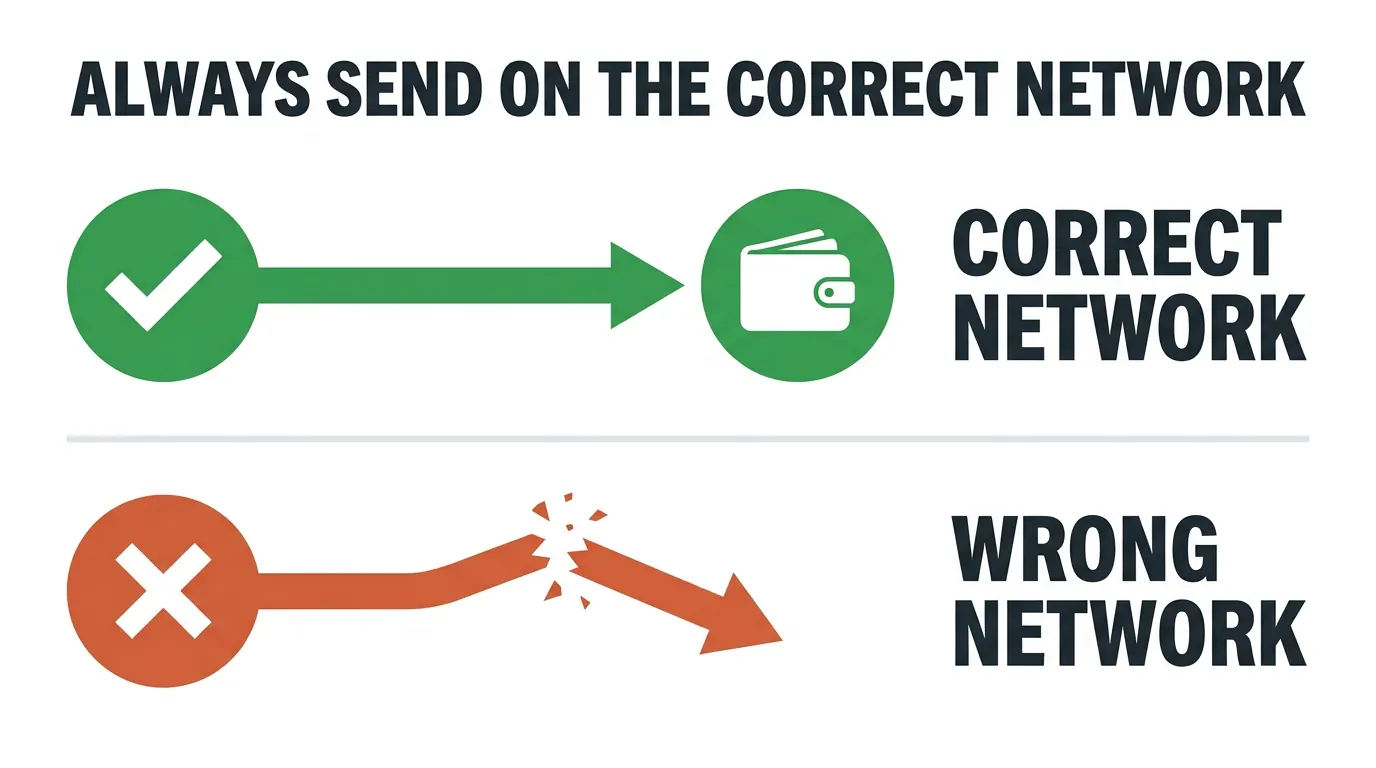
Send on the correct network. Each coin must be sent on the network named on your payment page — for example, “Send only on the Tron (TRC-20) network.” Crypto sent on the wrong network cannot be recovered. If you’re sending USDT, your wallet or exchange must be set to Tron (TRC-20), not Ethereum or any other chain.
Send the exact amount, in one transaction. The QR code carries only the deposit address — it does not carry the amount, so type the amount in yourself and check it against the page. If less than the full amount arrives, we cannot apply it automatically: the order goes on hold, and our team has to reconcile it with you by email. Please don’t send a small test payment first.
Watch your exchange’s withdrawal fee too. Some exchanges take the fee out of the amount you send, which leaves us short — make sure the amount that arrives matches the amount on the page.
You have about 7 days
The payment link stays valid for roughly a week, so there’s no rush. The deposit address and amount never change, and your order confirmation email contains both — so you can pay from any device.
The payment page itself reopens only in the browser you checked out from. If you switch device or clear your browser data, use the details in your confirmation email.
Confirmation times
Once you send, the blockchain needs time to confirm. These are typical, not guaranteed — network congestion and larger amounts both take longer:
Your payment page updates automatically as the transaction confirms.
Minimum order amounts
Every coin has a minimum order value. If your order is below a coin’s minimum, that coin appears greyed out at checkout with the minimum shown:
Pick a coin your order qualifies for, or add another item. On orders under $5 the Crypto option doesn’t appear at all — please choose another payment method.
New to Crypto? Here’s How
You don’t need to be experienced with crypto to use it. Here’s the short version.
Step 1 — Buy crypto on an established exchange
Coinbase and Kraken are both well established and available to US customers. Binance is widely used outside the US, but Binance.com is not open to US residents.
You’ll verify your identity (a standard legal requirement), then buy crypto with a debit card or bank transfer.
Step 2 — Match the coin to what your exchange can send
This is the step worth slowing down on, because it is where most mistakes happen.
USDT exists on several networks — Tron, Ethereum, Solana and others — and they are not interchangeable. The only USDT we accept is USDT on Tron (TRC-20), so your exchange must be able to withdraw on the Tron network.
Coinbase cannot send USDT on the Tron network. If you’re buying on Coinbase, choose Bitcoin, Ethereum or Solana at our checkout instead — Coinbase sends all three. Kraken does support USDT on Tron.
If you have a free choice, USDT is the steadiest option: it’s a stablecoin worth about $1, so the amount you send doesn’t drift with the market while you’re paying. Otherwise pick whichever of Bitcoin, Ethereum or Solana your exchange supports.
Step 3 — Send your payment
- Open your exchange or wallet and choose Send or Withdraw
- Select the same coin you chose at checkout
- Select the network shown on your payment page — this is the critical step
- Paste our deposit address, or scan the QR code
- Type in the exact amount shown on the page
- Check the fee, then confirm and send
Exchanges charge a withdrawal fee that varies by coin and network. Tron and Solana are usually cheapest; Bitcoin and Ethereum cost more. On a small order the fee can be a noticeable share of the total, so it’s worth checking before you buy.
A few tips
- Send the full amount in a single transaction — part-payments have to be sorted out by hand and hold up your order
- Copy and paste the address, or scan the QR code — never type it out by hand
- Take your time. You have about 7 days, so there’s no pressure to rush
We’re happy to help.
For anything related to your payment — especially if crypto is new to you — reach out with your order number.
More from TaraSkinCare
- Affiliate Program
- Affiliate Program FAQ
- Affiliate Program Terms & Conditions
- Azelaic Acid 20% Cream Guide
- contacts
- Current Promotions & Sales
- Customer Service
- Eukroma Cream Guide
- Facelin Gel Guide
- Frequently Asked Questions
- How to Cancel Your Order
- How to Change Your Shipping Address
- How to Pay with Afterpay
- How to Pay with Bitcoin & Cryptocurrency
- How to Pay with eCheck
- How To Send Bitcoin
- Hydroquinone 4% Cream Guide
- Moisturizer Cream Guide
- ordering instruction
- Peptide-8 Serum Guide
- Privacy and Cookie Policy
- Privacy Policy
- Reward Policy
- Reward Welcome Page
- Shipping
- Tara Skin Care To Look Young And Beautiful
- Terms & Conditions
- Tretinoin Cream Guide
- TriLuma Cream Guide
- Viewing Orders
- When The Products Doesn't Work | How to return